

Within 14 days of arrival at Club Wyndham resorts, you can complete an entirely cash purchase with your credit card either online or by phone with a Vacation Guide. . With a maximum stay of four nights, these deals are great for quick, spontaneous getaways.
This new reservation style is perfect for scenarios such as:
Follow these simple steps to take advantage of this great owner benefit.
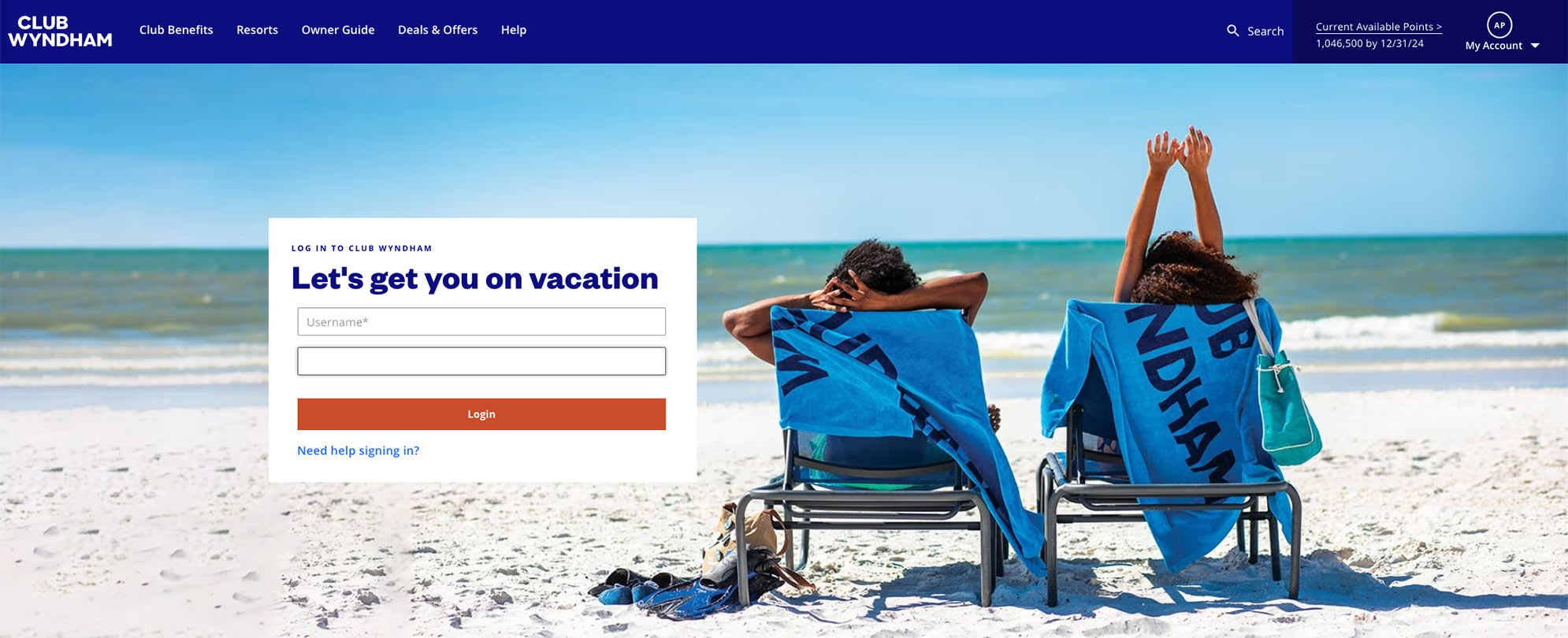
At ClubWyndham.com.
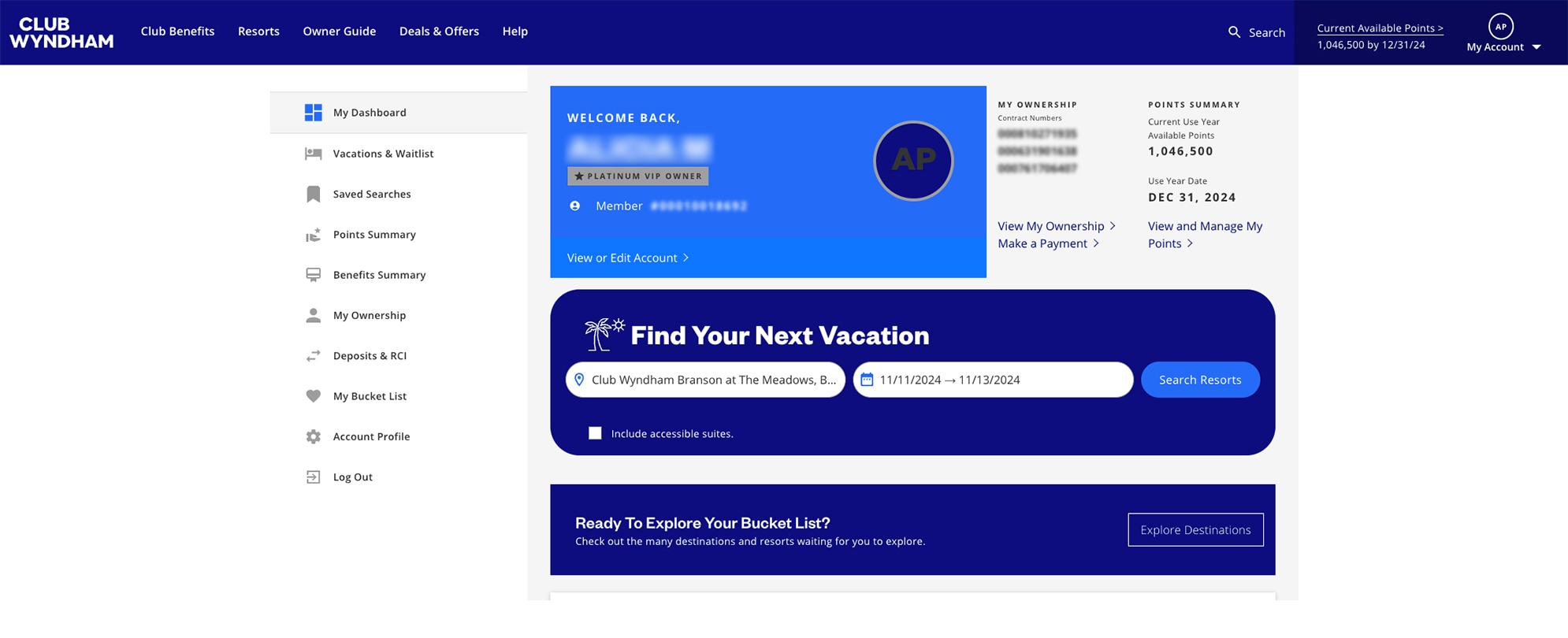
Enter the name of the Club Wyndham resort or region you want to search and a check-in date that is within 14 days of the current date if you wish to use Club Wyndham Bonus Time.
Once the search criteria are entered, select “Search Resorts.”
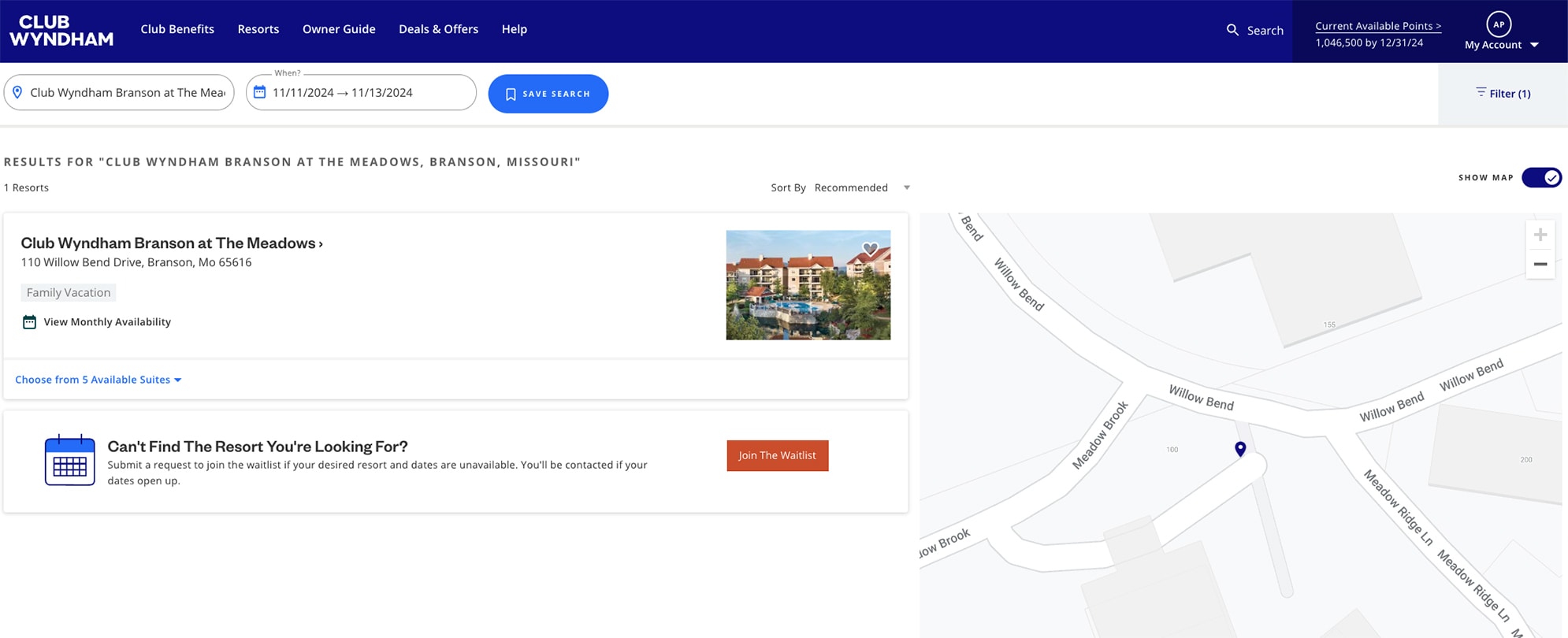
Click on the drop-down which states “Choose from # Available Suites.”
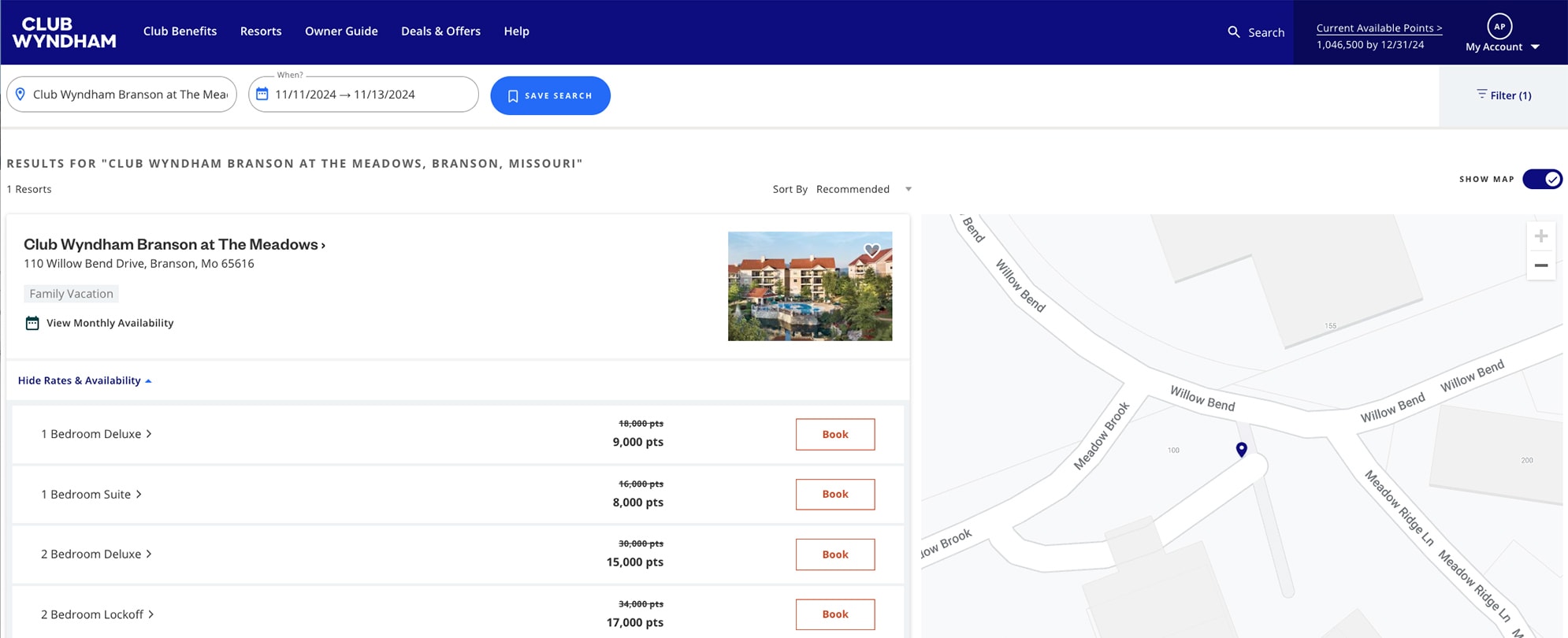
Select the suite you wish to book by selecting the “Book” button on the right of the screen.
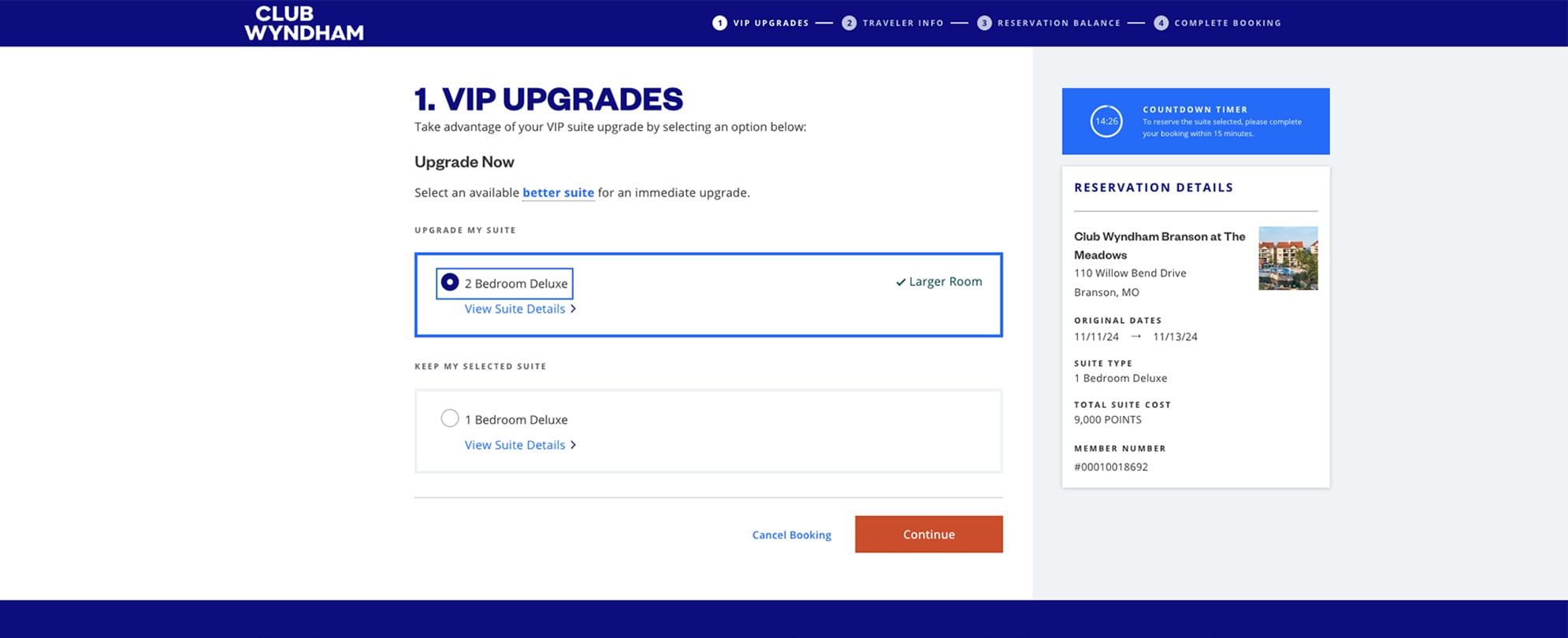
If you have VIP status and there is a larger suite available, you may be able to upgrade to a larger suite without incurring any additional costs.
Select "Continue" to proceed.
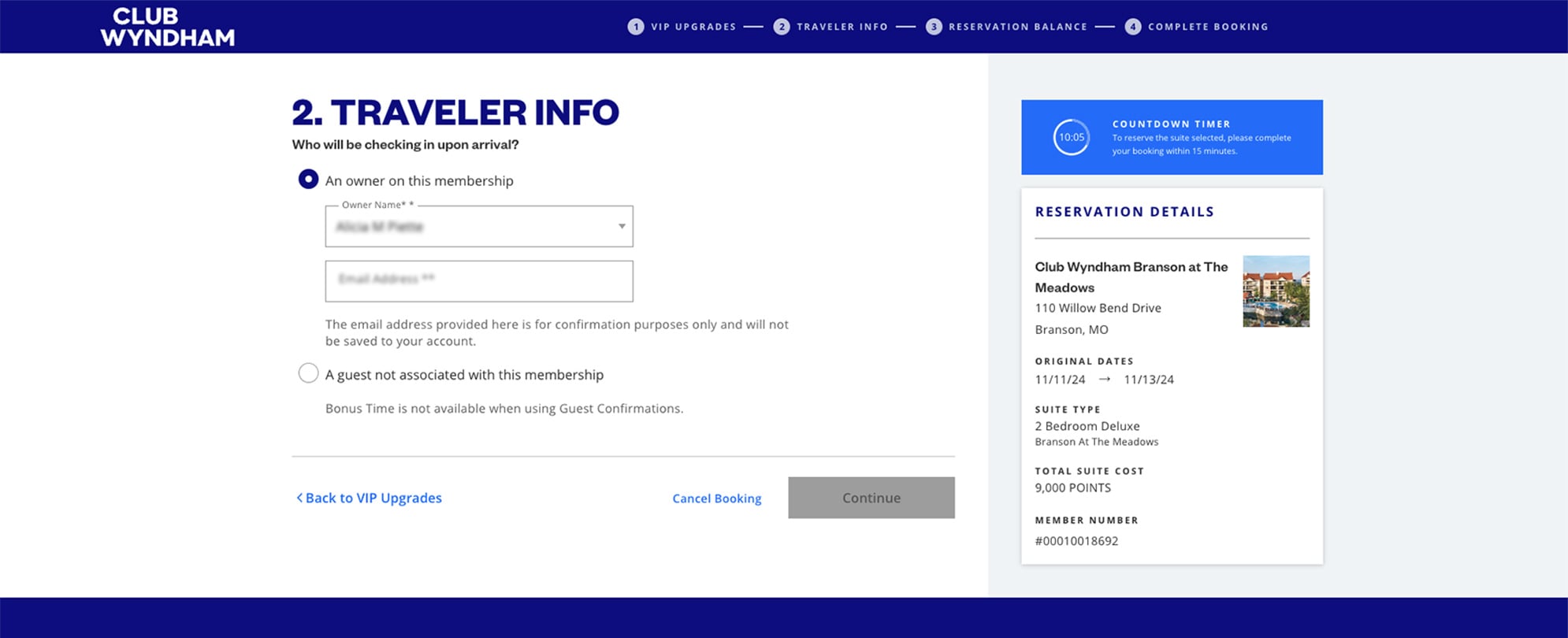
Select the owner that will be traveling to this location.
Note: If a guest is added, Club Wyndham Bonus Time will not be a payment option.
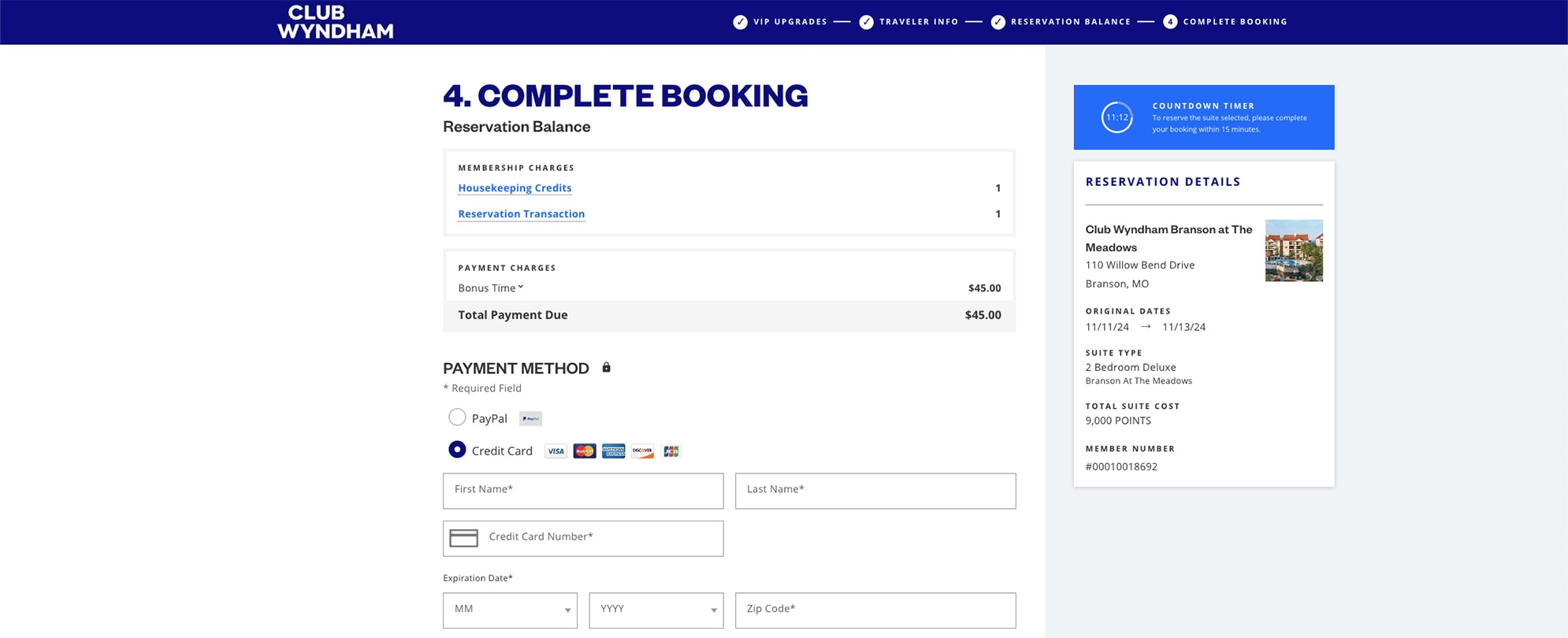
Select “I want to use Bonus Time.”
This will generate the costs total. Click "Continue" to proceed.

Enter your payment information to complete the booking process.
You have 24 hours from the time of booking to cancel your Bonus Time reservation and receive a full refund for points purchased plus the Housekeeping Credit.
At ClubWyndham.com.
Once you're logged in, you will see a menu on the left hand side.
Select Vacations & Waitlist, find your reservation, and open it.
Once you have your reservation details open, cancel your reservation by clicking the "Cancel Reservation" button at the bottom of the screen.
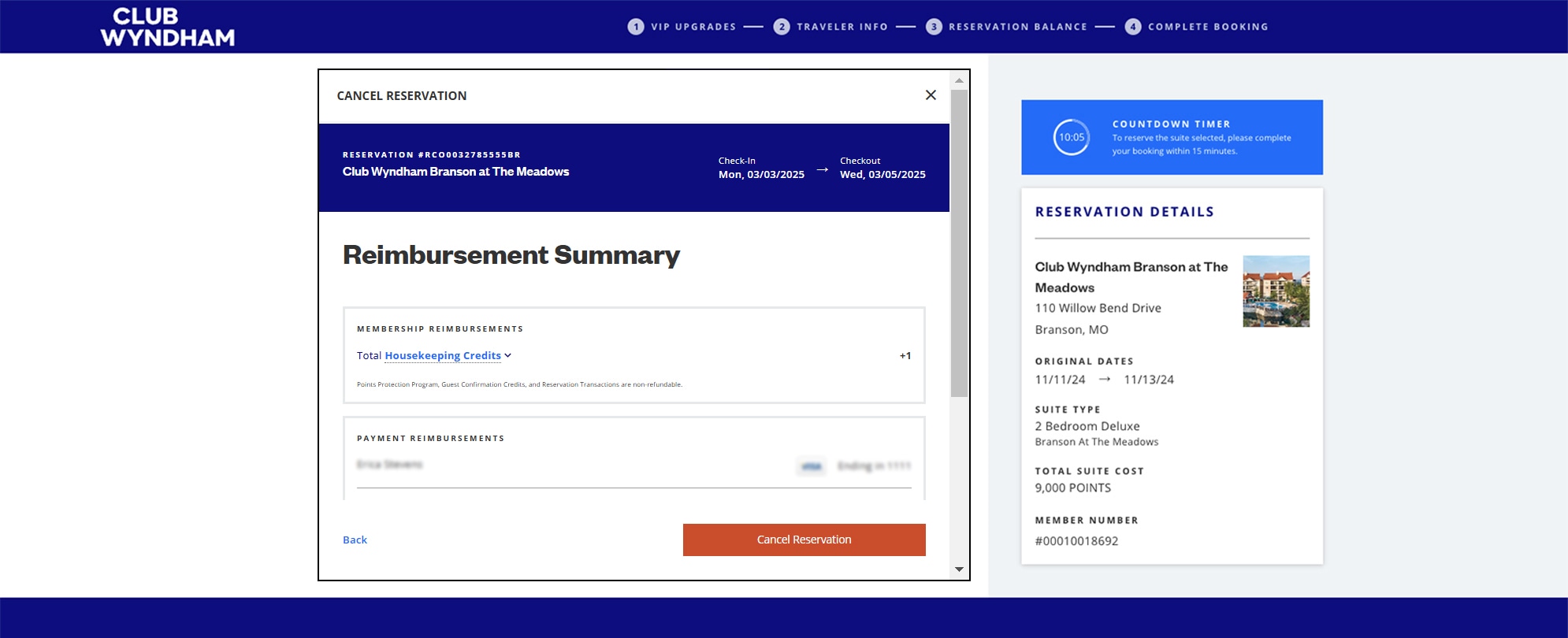
If you're within the 24 hours, you'll see a "Reimbursement Summary" screen where you can finalize your cancellation. Your refund will be issued to your original source of payment.
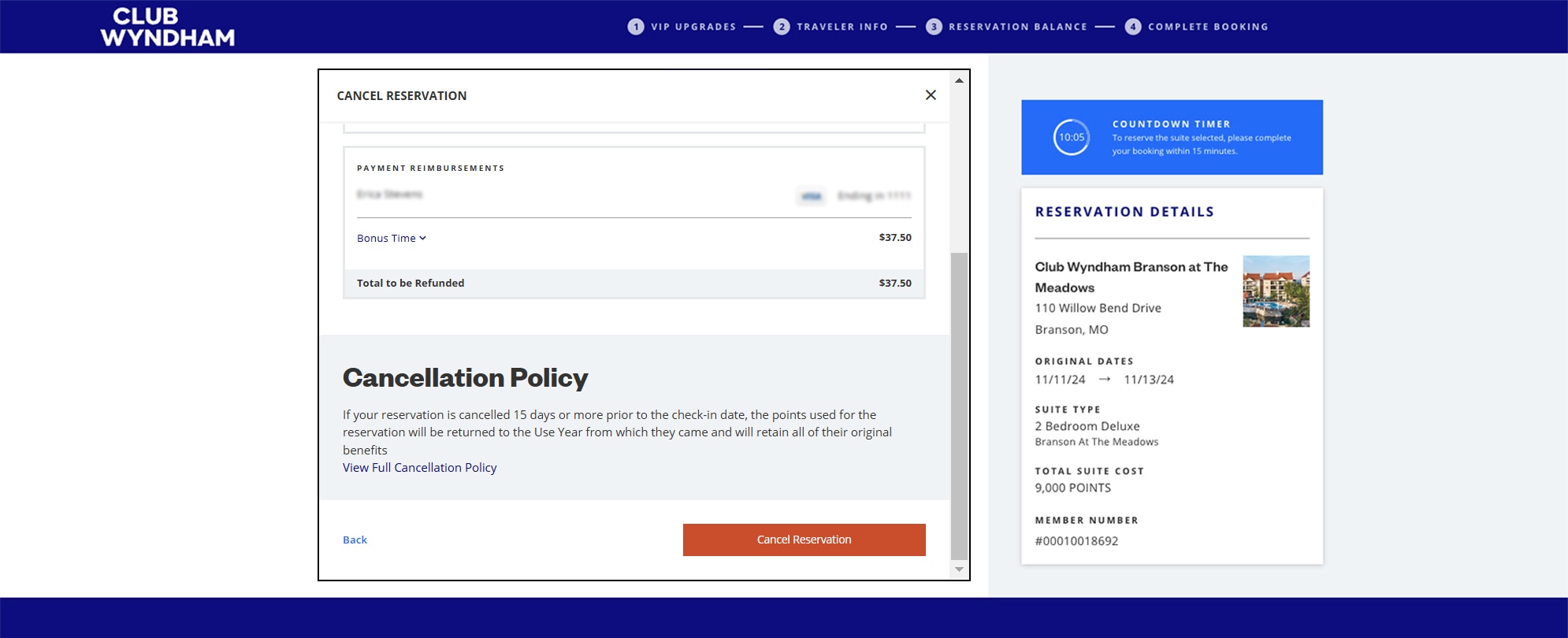
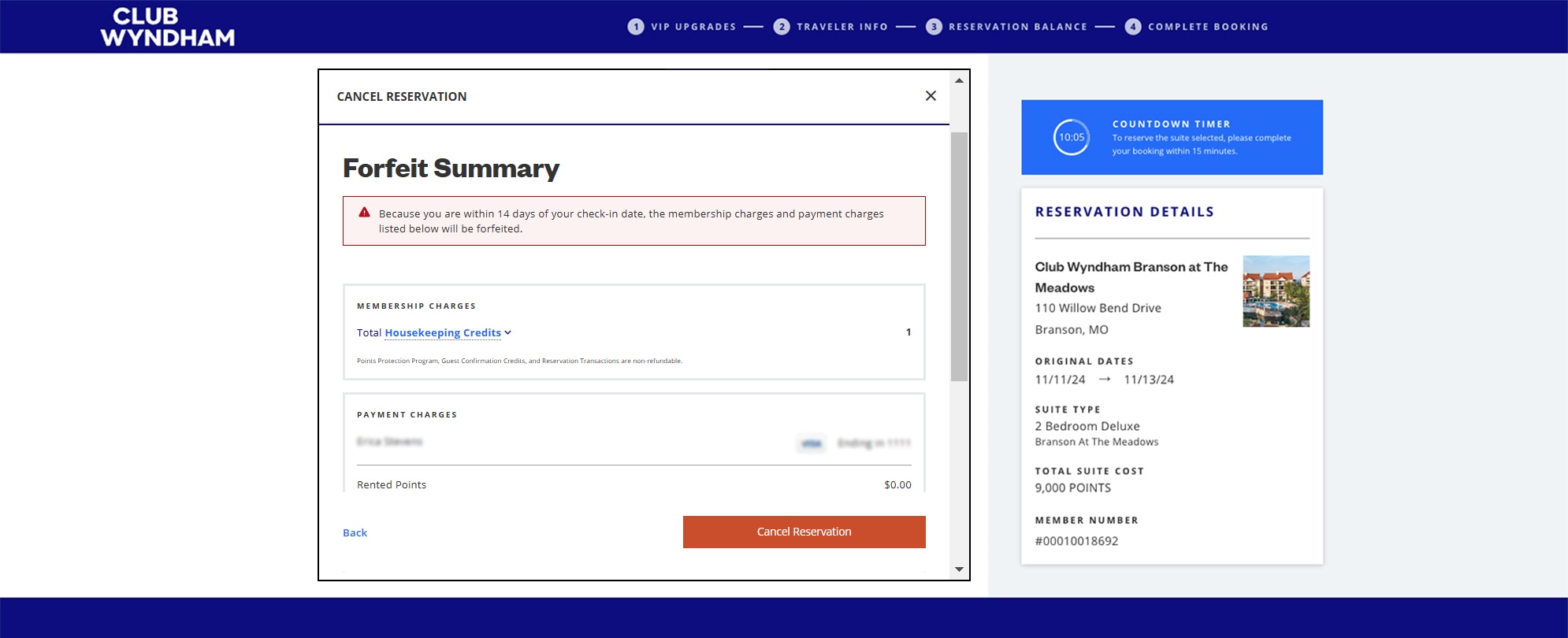
Any cancellation outside of the 24-hour window is subject to forfeiture of all charges related to your Bonus Time reservation.
After selecting "Cancel Reservation" above, you'll see a notification at the top of the screen alerting you that your membership charges and payments will be forfeited. You can click "Cancel Reservation" to finalize your request.
Disclaimer: A general cancellation notice applies for all reservation types. Please refer to the above information for Bonus Time specific cancellation rules.
All tiers of Club Wyndham ownership and Margaritaville Vacation Club ownership are eligible to make Bonus Time reservations. Ineligible membership types are Limited Edition and Discovery.
No, Club Wyndham Bonus Time is a cash-only option to complete a reservation.
All Club Wyndham resorts are eligible, based on availability. Ineligible resorts include Club Pass, Associate, and Affiliate properties.
No, the Club Wyndham Bonus Time feature will not change these existing processes.
Yes, Bonus Time reservations can only be made within 14 days or less prior to the arrival date, which is perfect for last-minute travel plans.
You have 24 hours from the time of booking to cancel your Bonus Time reservation and receive a full refund for points purchased plus the Housekeeping Credit. Cash refunds are issued to the original source of payment. If an existing housekeeping credit is used, it will be returned to your account. Reservation Transactions are non-refundable. Any cancellation outside of the 24 window is subject to forfeiture of all charges related to your Bonus Time reservation.
A maximum of two (2) active Bonus Time reservations are allowed per account at any time, and are not affected by the number of owners listed in your account.
Yes, VIP by Wyndham upgrades are allowed at no additional charge. If available, it will be offered automatically at the start of the booking process.
No, Bonus Time is a cash-only option and cannot be combined with points.
Club Wyndham Bonus Time is $5 per 1,000 points to complete the reservation.
Yes. Bonus Time can be used regardless of how many points you have available within your account.